|
 |
 |
       | ||
| ||||||
 |
|
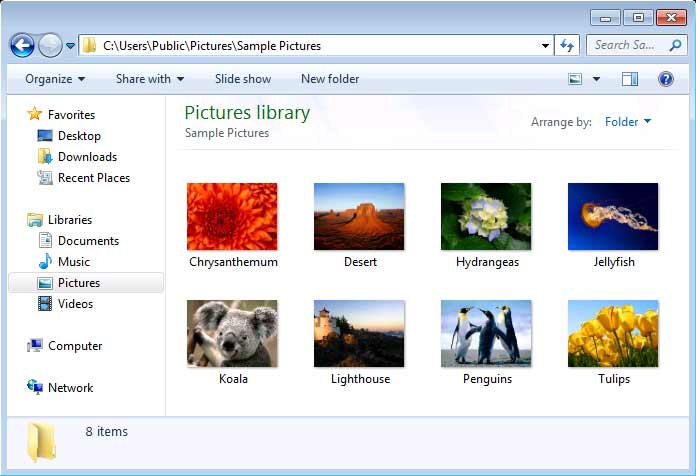
Free software to convert JPG / JPEG to PDF Download our freeware program JPG to PDF Converter (570 KB, Version 1.01) to convert JPG to PDF and JPEG to PDF in batch. The software works with Microsoft Windows 7, Windows Vista, and Windows 8. How to convert JPEG / JPG to PDF1. Put all your JPEG / JPG pictures that you want to convert to PDF in a folder,
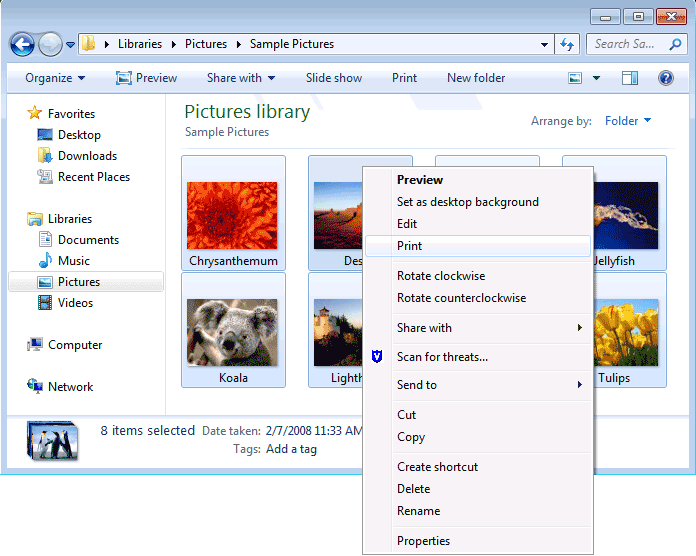
2. Select one or more images to be converted to PDF, and right-click your mouse on any image, and then a menu pops up, choose Print
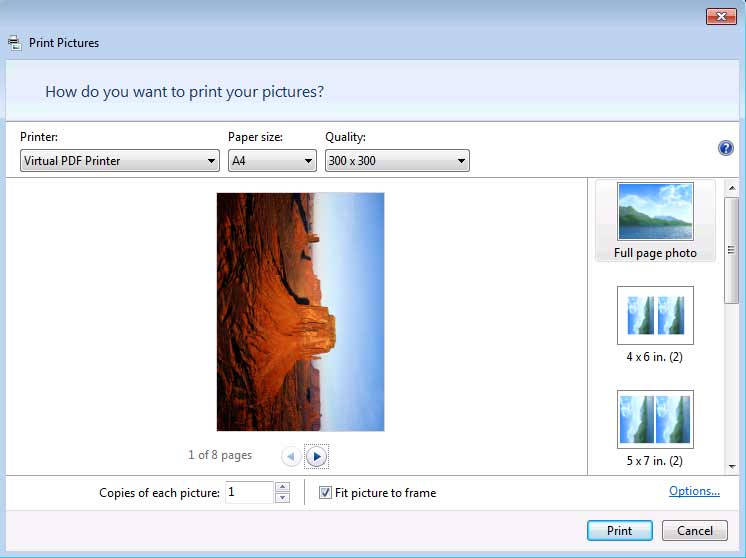
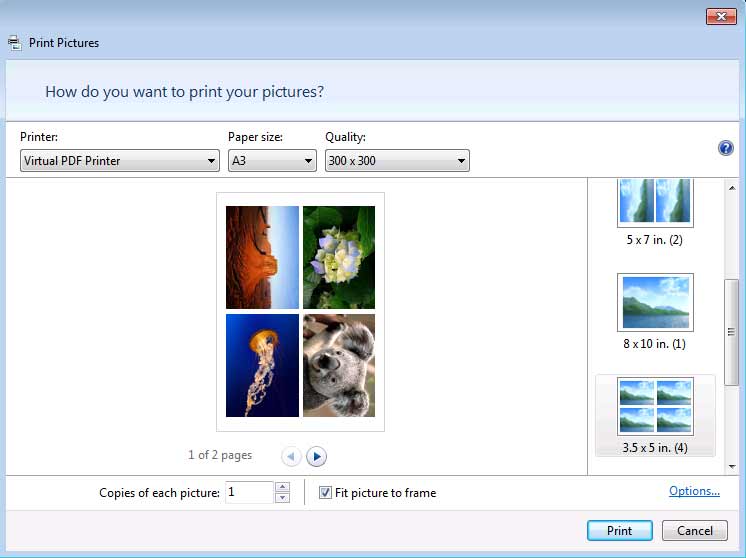
3. The following Print Wizard appears, and you will be prompted to choose a printer, paper size, and image quality. To convert your images to Adobe PDF, you are required to choose Virtual PDF Printer in the printer list. If you don't have the Virtual PDF Printer in your printer list, download and install the Virtual PDF Printer software. If you run Windows 7, it is suggested that you download the PDF Printer for Windows 7 software, and print to the PDF Printer to obtain better PDF's. Windows 8 users need to download and install PDF Printer for Windows 8 software.
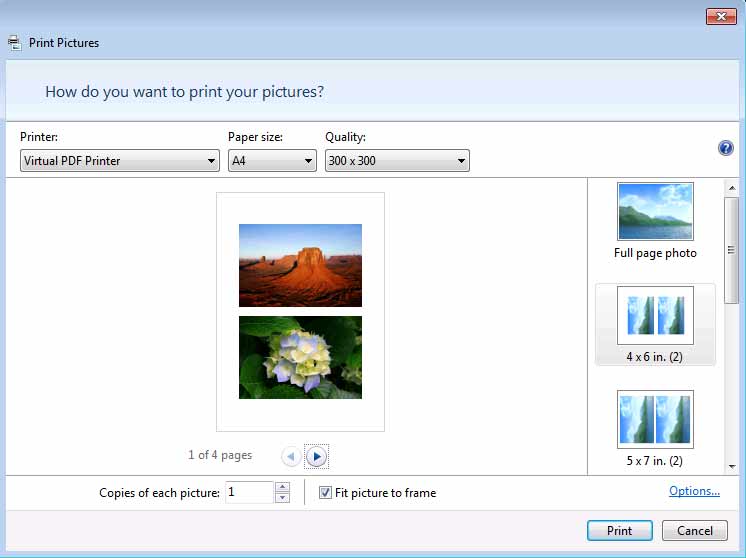
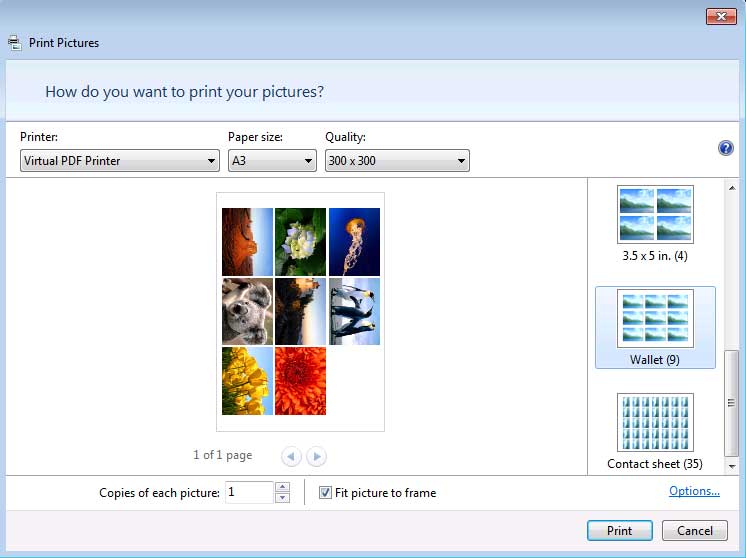
4. By default you get Full Page Photo (i.e. one picture for each PDF page) in the output PDF file. You might arrange two pictures per PDF page, or four pictures per page, or even more pictures per page by selecting a layout from the layout list on the right column of the Print Wizard,
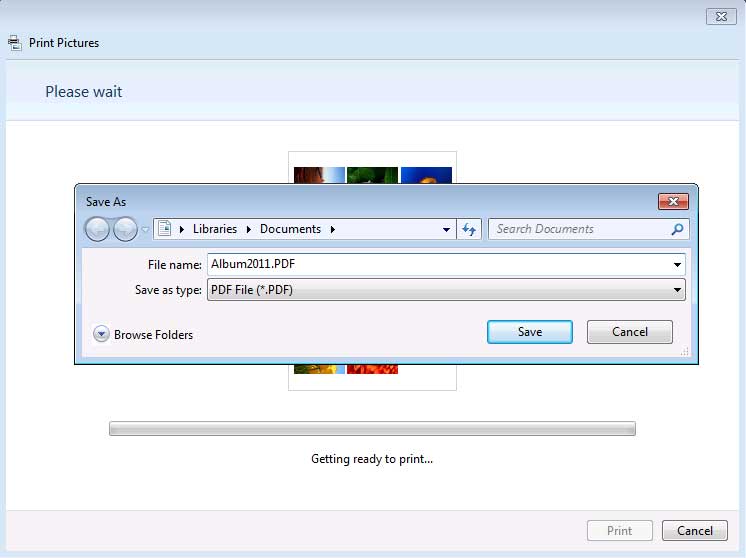
5. Once you confirm that the printer is Virtual PDF Printer, paper size is the one of your preference, just click Print button to continue. You will be asked to specify the output PDF file,
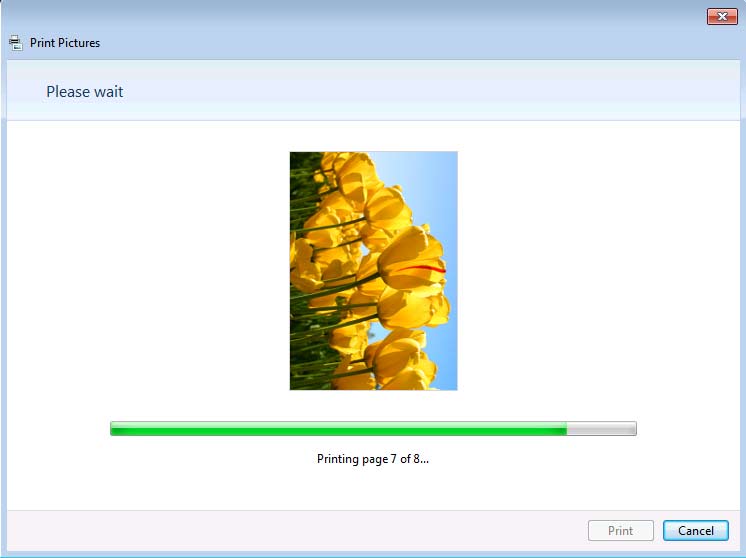
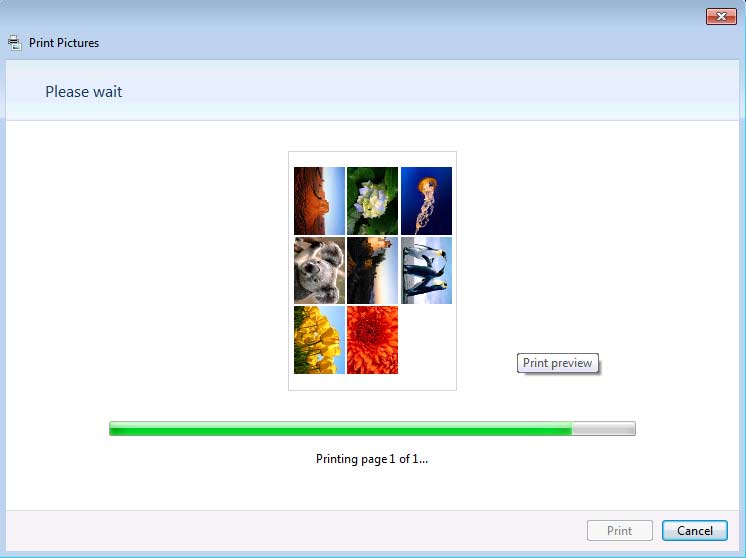
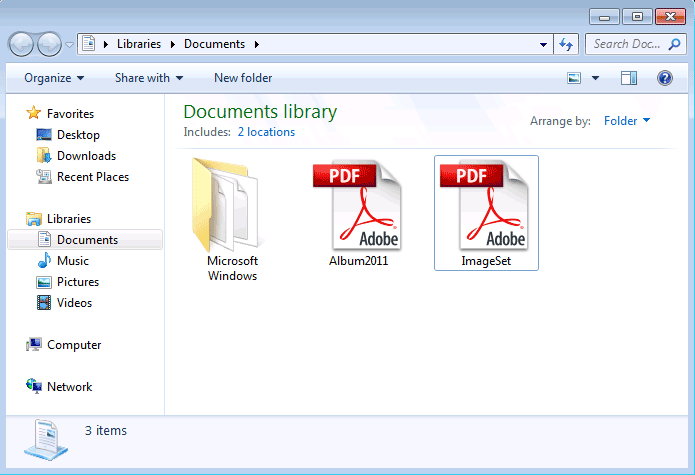
6. Here we specify the name of the output PDF to be Album2011.PDF, and the destination location is Library\Documents on Windows 7 and Windows 8. The Print Wizard starts the conversion of JPEG / JPG images to PDF now with a progress bar as the indicator.
7. When the conversion completes, you get the output PDF file Alubm2011.PDF,
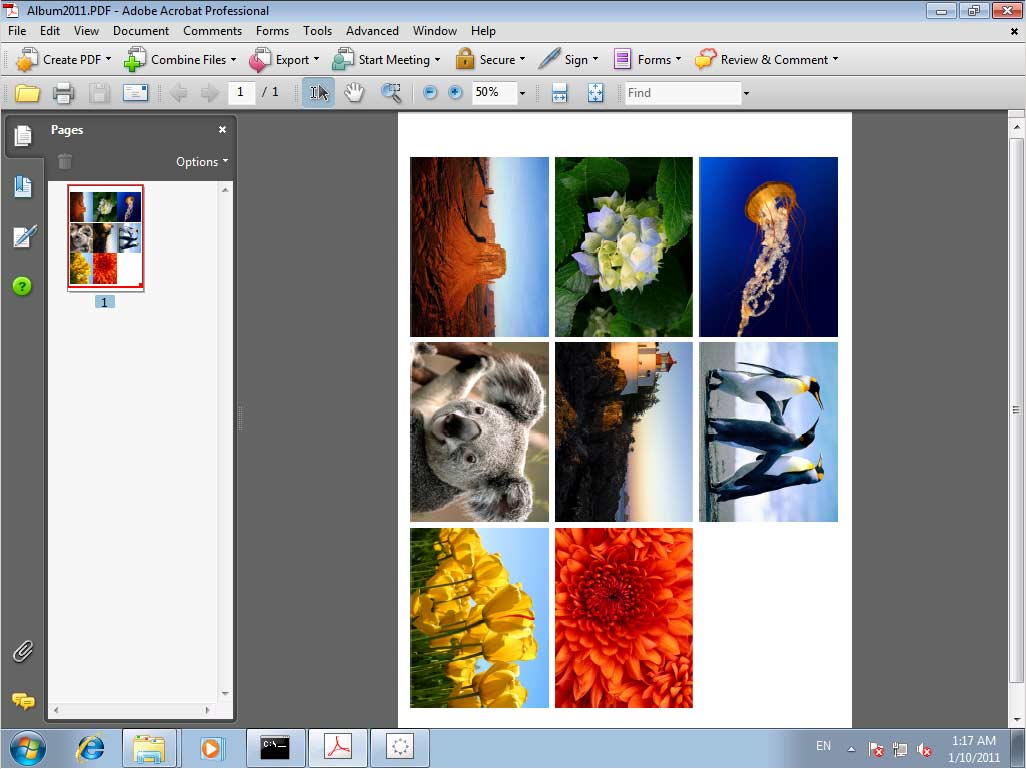
8. Double-click on the result PDF file, and it will be opened in Adobe Reader,
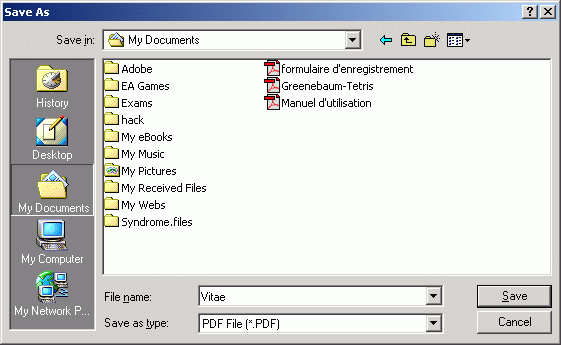
Other Way of Converting a JPEG / JPG image to PDF 1. Start your graphics processing software (Here, we take Microsoft Paint as an example) 2. Open a JPEG picture document 3. Select from main menu "File"->"Print" 4. Select Printer "Virtual PDF Printer" 5. If you need to adjust PDF generation options, click the "Property" button on the right 6. Click "OK" 7. A dialog will pop up, assign the folder and file name of the PDF document to be generated
8. Congratulations! You have converted JPEG to PDF and/or JPG to PDF document now. NOTE: The above illustrates how to save pictures as a PDF, and the "Save As PDF" dialog might differ on Microsoft Windows 10. JPEG, JPG, JPE, J2K, and JPEG2000 format are supported by Virtual PDF Printer. The above instructions apply when you are to convert JPG to PDF on Microsoft Windows 11, Windows 10, Windows 8.1, Windows 8, Windows 7, Windows Server 2022, Windows Server 2019, Windows Server 2016, Windows Server 2012, Windows Server 2008, and Windows Server 2003. All our software is virus-free and Trojan-free, all download links are from reliable sources as claimed.
(C) 2000-2026 Wondersoft All rights
reserved. |
|
 |